
7 Tools to Build a Better 24/7 AI Front Desk
A modern front desk no longer has to depend entirely on someone being available at a desk or answering a phone during business hours. With the right combination of AI phone answering, scheduling, customer management, communication, and automation tools, businesses can create a front desk system that continues responding to customers around the clock.
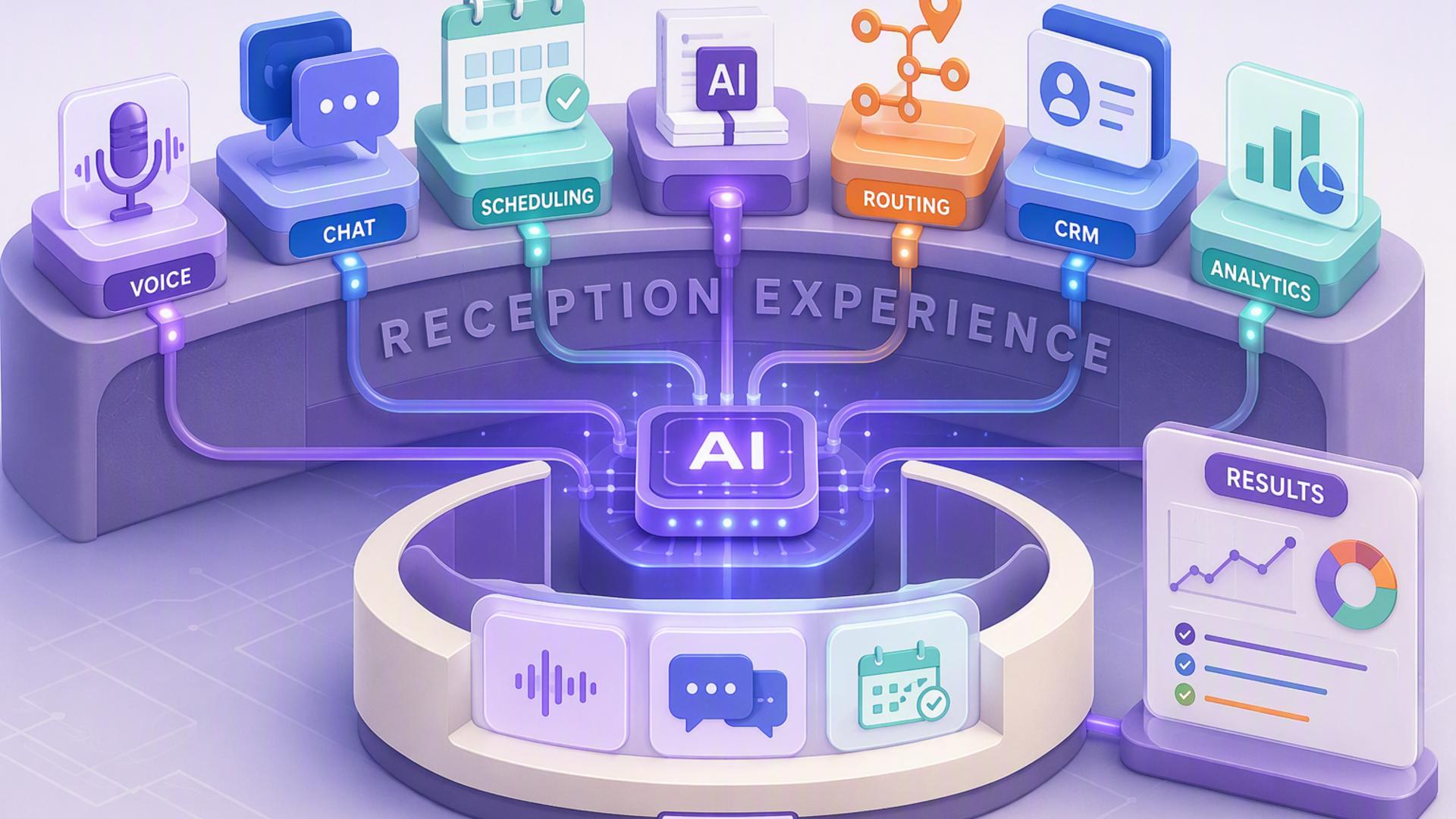
The most effective setup usually starts with a capable AI receptionist and then connects it to the tools a business already uses for appointments, customer records, internal communication, and follow-up. The seven platforms below can each contribute to that system, although they play very different roles in making a 24/7 front desk work smoothly.
1. DialMyCalls AI Receptionist
A Strong Foundation for 24/7 Call Handling
DialMyCalls AI Receptionist provides the core function that an always-available front desk needs: answering incoming calls when employees cannot. Instead of allowing calls to go unanswered or sending every caller directly to voicemail, an AI receptionist can interact with callers, collect information, answer common questions, and direct conversations based on the business's preferred workflow.
That makes DialMyCalls particularly useful for businesses that receive inquiries outside normal operating hours, during busy periods, or while employees are helping other customers. The system can provide callers with an immediate response without requiring the company to keep a human receptionist available around the clock.
Connecting Calls With the Rest of the Business
Its strongest role is as the starting point for a broader AI front desk workflow. Information gathered during calls can be passed into scheduling tools, CRM systems, calendars, support platforms, or internal communication channels so that the conversation becomes part of an organised follow-up process rather than an isolated phone interaction.
For companies building a 24/7 AI front desk from the ground up, DialMyCalls AI Receptionist is the most natural place to begin. It directly addresses the customer-facing part of reception while giving businesses a practical foundation on which scheduling, lead management, notifications, and other automations can be layered.
2. Zapier
Connecting Front Desk Applications
Zapier can act as the connective layer between many of the applications involved in an AI front desk. Instead of requiring employees to manually copy information from one system into another, businesses can create automated workflows in which an event in one platform triggers an action somewhere else.
For example, information collected from a caller could trigger the creation of a CRM record, send a notification to a team member, add information to another platform, or begin a follow-up workflow. These connections can reduce repetitive administrative work and help keep information moving between systems.
Building Workflows Without Heavy Development
One of Zapier's main advantages is that many workflows can be built using trigger-and-action rules rather than custom programming. This makes automation more accessible to small businesses that may not have developers or dedicated IT teams available to build integrations.
Zapier is therefore most valuable as supporting infrastructure rather than as the front desk itself. When paired with an AI receptionist and the other tools a business already uses, it can help turn several separate applications into a more coordinated reception system.
3. Google Calendar
Keeping Appointments Visible
Google Calendar provides a straightforward way for teams to organise appointments, meetings, consultations, and other time-sensitive commitments generated through front desk interactions. When scheduling systems are connected properly, booked appointments can appear automatically on the appropriate calendar.
This gives employees a shared view of upcoming commitments while reducing the need for someone to manually enter every appointment. Calendar invitations, reminders, recurring events, and availability management can also support a more organised scheduling process.
Supporting an Always-Available Scheduling System
In a 24/7 front desk setup, Google Calendar works particularly well when paired with an AI receptionist and a dedicated booking platform. The receptionist can identify why someone is calling, while the scheduling system determines availability and the calendar maintains the final appointment record.
Google Calendar does not handle customer conversations itself, but it remains an important operational component. It gives the rest of the organisation a familiar place to see and manage the appointments generated by the automated front desk.
4. HubSpot or Salesforce
Turning Calls Into Customer Records
CRM platforms such as HubSpot and Salesforce help businesses organise the information gathered from prospects and customers. Instead of leaving caller details inside notes, voicemail messages, or disconnected applications, a CRM can keep contact information, conversation history, lead status, and follow-up activity together.
This becomes especially valuable when an AI receptionist is handling a large number of inquiries. Automatically creating or updating CRM records gives sales and service teams a clearer picture of who contacted the business and what should happen next.
Managing Follow-Up Over Time
Both HubSpot and Salesforce can support workflows extending well beyond the initial phone call. Depending on the organisation's setup, teams can assign leads, create tasks, track opportunities, monitor customer interactions, and build automated follow-up processes.
These platforms are particularly useful for businesses where the reception function is closely connected to sales or account management. They complement an AI receptionist by ensuring that useful information captured during a conversation remains available throughout the customer relationship.
5. Slack
Delivering Call Information to the Right People
Slack can provide a fast internal communication channel for information generated by an automated front desk. Businesses can send important call notifications into specific channels or direct them to the people responsible for handling different types of inquiries.
For example, a high-priority sales inquiry might notify a sales channel, while a customer support request could alert the service team. This gives employees visibility into new activity without requiring them to continuously check another application.
Improving Internal Response Times
Slack becomes more useful when notifications contain enough context for employees to understand what happened. Caller information, the reason for the call, requested follow-up, or appointment details can help the appropriate team member decide what action to take.
It is not a replacement for a CRM or receptionist platform, but Slack can help close the communication gap between an automated system and the people responsible for the next step. For teams already using Slack throughout the workday, those alerts can fit naturally into existing routines.
6. Calendly or Acuity Scheduling
Letting Customers Book Appointments Quickly
Scheduling platforms such as Calendly and Acuity Scheduling can extend an AI receptionist beyond simply taking messages. By connecting scheduling capabilities to the reception workflow, businesses can allow qualified callers to move directly toward booking a meeting, consultation, or appointment.
These platforms manage availability according to rules established by the business. That can reduce the familiar back-and-forth of suggesting times, checking calendars, and sending additional messages before an appointment is confirmed.
Extending Scheduling Beyond Business Hours
Automated booking is particularly valuable for a 24/7 reception system because customer interest does not always arrive during working hours. Someone calling in the evening can potentially complete the next step immediately instead of waiting until an employee returns the following morning.
Calendly and Acuity Scheduling work best as part of a connected system rather than as standalone reception tools. Paired with an AI receptionist and calendar platform, they can help convert a live conversation into a confirmed appointment with less administrative involvement.
7. Freshdesk
Organising Customer Support Requests
Freshdesk is useful when a significant portion of front desk inquiries involve customer service rather than sales or scheduling. Support questions gathered by an AI receptionist can be converted into tickets so that requests enter a structured queue instead of being passed around through informal notes.
Ticketing makes it easier to categorise issues, assign responsibility, monitor status, and maintain a record of previous communication. This can be particularly valuable for organisations receiving repeated technical questions, account requests, or service-related inquiries.
Creating a Clear Support Handoff
A well-connected Freshdesk workflow can make the transition from automated reception to human support more organised. Instead of requiring customers to repeat everything they already explained on the phone, the support team can receive useful information collected earlier in the process.
Freshdesk therefore fills a specialised role within an AI front desk system. It does not answer calls or manage appointments, but for businesses with substantial customer support requirements, it can help ensure that service inquiries are documented and routed consistently.
Building an AI Front Desk That Works Around the Clock
A dependable 24/7 AI front desk is rarely created with one application alone. DialMyCalls AI Receptionist provides the strongest starting point because it handles the customer conversation itself, while tools such as Calendly or Acuity Scheduling, HubSpot or Salesforce, Slack, Google Calendar, Freshdesk, and Zapier can extend those conversations into organised scheduling, lead management, support, communication, and follow-up workflows. When these systems are connected thoughtfully, businesses can respond to customers more consistently while reducing the manual administrative work that traditionally comes with running a front desk.
Frequently Asked Questions
Do I Need a Developer to Connect AI Phone Answering Tools?
Usually not. Automation platforms such as Zapier are designed to let non-technical users connect applications through straightforward triggers and actions. Many popular services, including scheduling platforms, CRMs, calendars, and messaging tools, also provide ready-made integrations that require little or no coding. This allows smaller businesses to build a capable automated front desk without maintaining an in-house development team.
What Tools Work Well With Virtual Receptionist Software?
Virtual receptionist software pairs especially well with appointment scheduling platforms, CRM systems, team messaging applications, calendars, help desk software, and automation tools. Each platform can take responsibility for a different stage of the workflow, helping information collected during a call reach the correct system without employees having to manually move it from one application to another.
Is AI Receptionist Workflow Automation Hard to Set Up?
For most businesses, it does not have to be complicated. Many connections can be created using native integrations or no-code automation platforms. A company can begin with a simple workflow, such as connecting its AI receptionist to a scheduling system or CRM, and introduce additional automations once the basic process is working reliably.
How Can AI Phone Answering Automate Lead Capture?
One effective approach is to connect the AI answering platform directly with a CRM. When a call is completed, information such as the caller's name, contact details, reason for calling, and other relevant notes can be recorded automatically. Connecting a scheduling platform as well can take the workflow further by allowing qualified prospects to arrange an appointment during the same interaction instead of waiting for a manual callback.